Table of Contents
Add a discount
Use this when you want to apply a discount to a new invoice. The purpose is to adjust the invoice value using a separate line item, keeping the original invoice lines intact.
⚠️ Important: This option is only available on invoices in unlocked periods. If the period has been locked off, please refer to Allocate credit
On an invoice, when you click “Add Invoice Item”, you can then choose between 2 options:
Option A: Use a Discount (%)
Use a discount (%) to reduce the line item price by a percentage. Enter the discount directly on the product line - TimePro will calculate the reduced amount automatically.
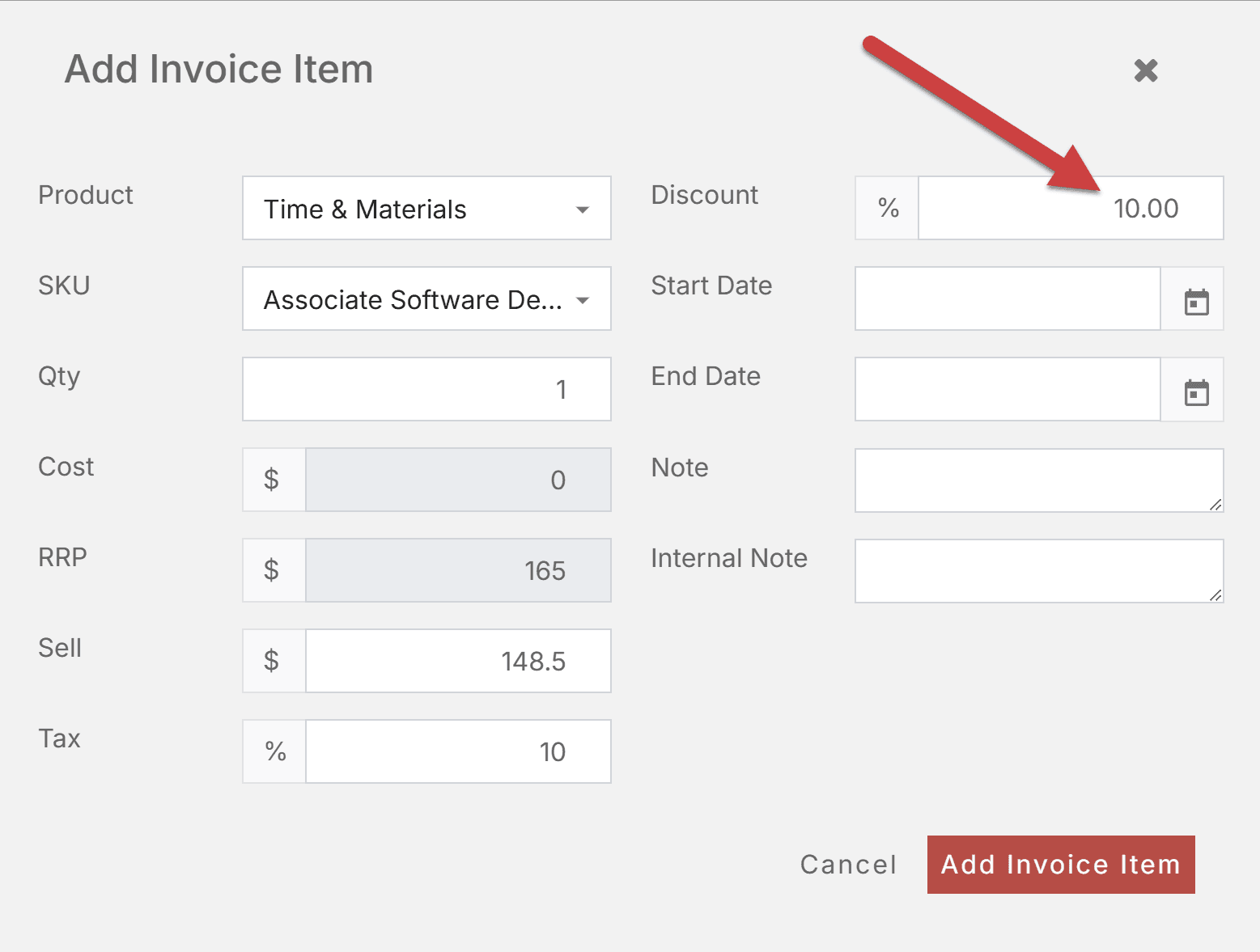
Figure: Use the Discount field
Option B: Use a negative Quantity or Sell amount
Add a product line and enter a negative quantity (Qty) or sell amount (Sell). The extended amount reflects Quantity × Unit Sell, so a negative quantity reduces the invoice balance. Use this when you want the adjustment to appear as a separate line on the invoice.
 Figure: Use a negative Quantity or Sell amount